Pairing Smart Devices the Smart Way: Tips for Reliable BLE Integration
Master the art of seamless device pairing with proven strategies for BLE integration. Learn troubleshooting techniques, best practices, and common pitfalls to avoid when connecting medical devices.
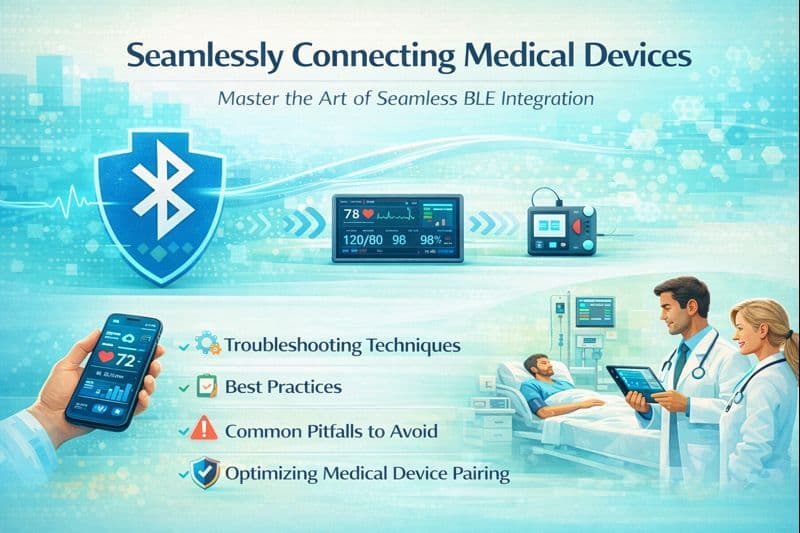
In the world of connected health, the "Pairing Phase" is the moment of truth. It is the first interaction a patient has with their device, and if it fails, the entire remote monitoring strategy is at risk. A diabetic patient trying to check their glucose levels cannot afford to wrestle with Bluetooth settings.
Here is a guide to mastering BLE integration, ensuring that your medical devices connect reliably every time.
1. The Golden Rule: Filter, Don't Scan
One of the most common mistakes in medical apps is a "noisy" scanning interface. When a patient searches for their blood pressure monitor, they shouldn't see their neighbor’s TV or their own Fitbit.
- Strategy: Always filter scan results by Service UUID. Your app should strictly look for the specific advertising packet of your medical device (e.g., the Blood Pressure Service UUID
0x1810). - The Benefit: The user sees a clean list containing only the device they need to connect, reducing confusion and preventing accidental connection attempts to the wrong hardware.
2. Bonding vs. Pairing: Know the Difference
While often used interchangeably, these are distinct technical concepts that impact the user experience.
- Pairing: The temporary exchange of security keys. If you only "pair," the user may have to acknowledge a request every time they use the device.
- Bonding: Storing those keys for long-term use.
- Best Practice: For medical devices, always implement Bonding. This ensures that after the initial setup, the phone automatically recognizes and reconnects to the device in the background without user intervention, making the daily routine seamless.
3. Handling the "GATT Cache" Trap
A frequent source of frustration for developers is when a device connects but fails to read data. This is often due to GATT Caching.
- The Issue: Smartphones "cache" the attribute table (the internal map) of a Bluetooth device to save time. If you update the firmware on your medical device and change its data structure, the phone might still be looking at the old map.
- The Fix: Implement a mechanism to trigger a "Service Discovery" refresh if the device firmware version changes, or use the Service Changed Characteristic (0x2A05) to force the phone to invalidate its cache.
4. Navigating Android & iOS Permission Mazes
Modern operating systems have become aggressive about privacy, often blocking Bluetooth access if permissions aren't handled perfectly.
- Android 12+: You must explicitly request
BLUETOOTH_SCANandBLUETOOTH_CONNECTpermissions. Crucially, if your app doesn't use the device for physical location, you must assert that your usage is "never for location" to avoid scaring users with location prompts. - iOS CoreBluetooth: iOS manages background connections strictly. If your medical app needs to receive data while the phone is locked (e.g., a CGM alert), you must properly declare Background Modes and ensure your BLE connection intervals are within Apple’s strict guidelines (usually between 15ms and 30ms).
5. Troubleshooting: The "Reset" Protocol
Even with perfect code, Bluetooth stacks can freeze. Your app needs a user-friendly way to handle failures.
- The "Toggle" Trick: If a connection fails three times, do not just keep retrying. Prompt the user to toggle Bluetooth off and on. This resets the phone's Bluetooth radio stack, which fixes the vast majority of "ghost" connection issues.
- Timeout Management: never let a connection spinner spin forever. Set a hard timeout (e.g., 10 seconds). If connection fails, provide a clear, actionable error message (e.g., "Device not found. Please press the button on your oximeter to wake it up") rather than a generic "Connection Error."